


RestoreGo - Photo, Files
4.719.00 Reviews
App Specs
- Version
- 1.0.2
- Updated On
- License
- Free
- Downloads
- 1,000,000+
- Developer
- WAKStudios
- Categories
- Tools
- Platform
- Android
Screenshots
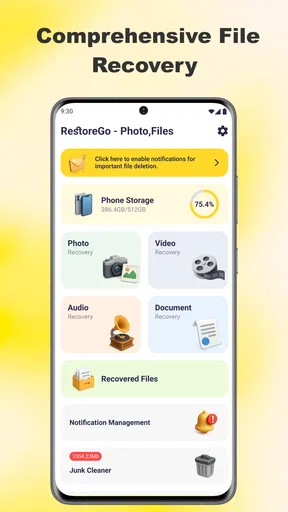
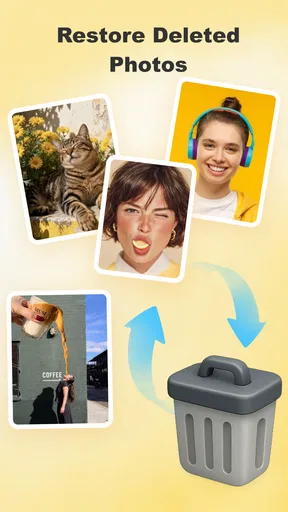
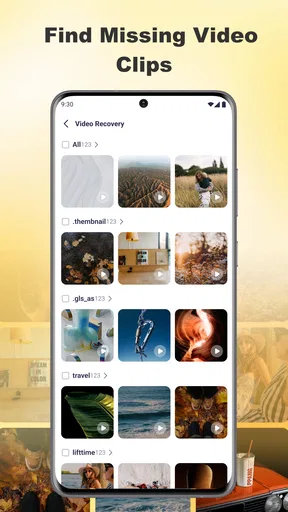
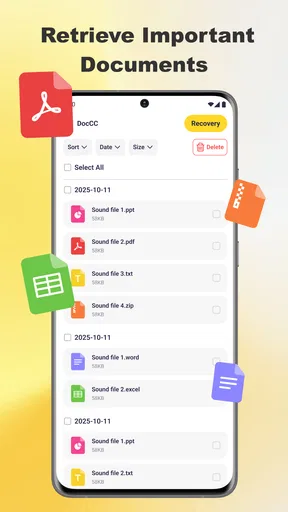
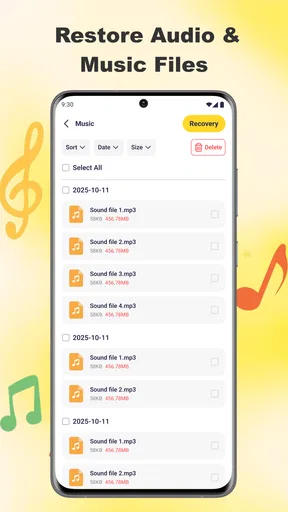
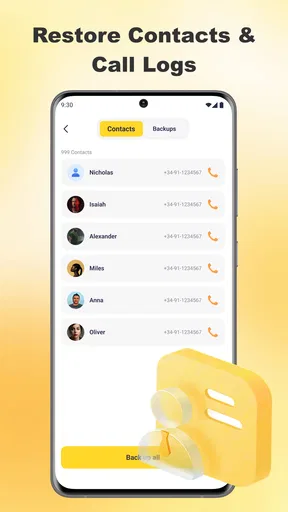
 Analysis by AppCompare
I tried RestoreGo – Photo, Files with a simple goal: recover something I had deleted without turning the process into a technical project. It is a free Android tools app from WAKStudios, focused on bringing back deleted photos, videos, and files. That narrow purpose is its main appeal. You do not open it for editing, cloud storage, or file organization; you open it when a missing item matters and you want to check whether recovery is still possible.
My overall impression is positive, but with an important qualification: a recovery app cannot recreate data that has already been permanently overwritten or removed from every available location. RestoreGo is most useful when you act quickly, inspect the results carefully, and understand that recovery depends on the phone’s storage situation. Used with realistic expectations, it can be a convenient first attempt before more complicated alternatives.
Where the recovery process usually gets stuck
The first obstacle is often not the scanning itself but identifying what “deleted” means on a particular phone. A photo may have moved to a trash folder rather than disappeared. It may still exist in a messaging app, a cloud gallery, a file manager, or a backup. In those cases, RestoreGo may not be the quickest route because the original app may offer a cleaner restore option.
That is why I would begin with a short check outside the app. Look in the gallery’s recently deleted area, the file manager’s trash, and the conversation or folder where the item originally arrived. This takes little time and avoids treating a visible copy as lost data. RestoreGo becomes more valuable when those ordinary locations do not contain the item.
Another point of friction is the difference between seeing a recoverable result and getting the exact file you remember. A scan can surface similarly named files, thumbnails, duplicates, or older versions. A useful result is not automatically the right result. I recommend checking the preview, approximate date, file type, and visual details before restoring anything. That small habit prevents a messy folder full of near-duplicates.
Storage conditions also matter. If you deleted a file and then filled the phone with new photographs, downloads, or app data, the space that once held the deleted item may have been reused. The more activity occurs after deletion, the less sensible it is to assume recovery will succeed. The best recovery workflow starts with stopping unnecessary storage activity, not with repeatedly scanning while continuing to download and record new content.
People can also get stuck because they expect one scan to explain every result. File recovery is not always tidy. A result may have an unhelpful name, an incomplete preview, or a location that does not match the original folder. I treat the scan as a search for candidates, followed by a verification step. That mindset is more reliable than assuming the first matching filename is the lost item.
Worth Reading Before You Choose

EA SPORTS FC Mobile 26 Is a Bigger Football Game, but It Takes Time

Flipboard Shows What News Apps Must Do Beyond the Feed

Switching to Android Auto Means Rethinking Your Driving Routine

Google Calendar Makes a Crowded Week Easier to Manage

Ludo King Makes the Most of the Minutes Between Plans

Baby Panda World Brings Quick Play to Modern Phones, but Its Game Library Feels Busy
What I check before opening a scan
I first note what disappeared, when I last saw it, and where it originally lived. For example, “a short video received in a chat yesterday” is more useful than “some files.” I then avoid taking new photos or downloading large files until I have tried recovery. If the missing item is important, I also make sure there is enough free space for a restored copy, because recovering a file is not helpful if the phone cannot store the output safely.
I also decide whether I need the original quality or merely the content. A small preview may remind me what a deleted image contained, but it may not be suitable for printing or editing. This distinction helps me judge the result honestly. RestoreGo can be worth trying for a personal snapshot, a document image, or a clip needed for reference, while a professional original may require a backup or a more specialized recovery process.
Setup checks that make the first attempt more useful
RestoreGo runs on Android devices using Android seven or later, so compatibility is straightforward for supported phones. It is rated for Everyone, which makes the app approachable for general household use, including someone helping a family member recover a mistaken deletion. Its current version is 1.0.2, and I would keep the app updated through the normal store process before beginning an important attempt.
During setup, I read each system prompt instead of tapping through automatically. A recovery tool needs access to the areas it searches, and denying a required request can make the scan appear empty or incomplete. At the same time, I would not grant unrelated access simply because the app asks for it. Give only the access needed for the recovery task, and stop if a request does not make sense for that task.
The phone’s free space is another practical check. Recovery normally means creating a new usable copy somewhere on the device, so I would remove or move unneeded material before starting if storage is nearly full. I would not delete more files to make room without first considering whether those files might also be needed. A safer approach is to move ordinary, replaceable content elsewhere and leave the potentially recoverable area undisturbed.
Battery level matters for a different reason. A scan that stops halfway can leave me unsure whether the missing item was absent or whether the process simply ended early. I prefer to begin with a comfortable charge and avoid switching between demanding apps while the search runs. This is not a promise of better recovery, but it reduces avoidable interruption.
I also keep the original deletion context in mind. If the item was removed from a removable card, a messaging application, or a protected folder, the result may differ from a file deleted through the phone’s ordinary gallery. I would not interpret an empty result as proof that the file never existed. It may mean the relevant location was not available to the scan, the data was already replaced, or the item is still held by another app.
How I organize the results instead of restoring everything
When a search produces many candidates, I work in small groups. I begin with the likely file type and the approximate time period, then inspect previews. For photos, visual confirmation is usually faster than reading filenames. For videos, I check whether the preview represents the right scene and whether the file appears complete enough to be useful. For general files, I pay closer attention to names, extensions, and recognizable content.
I avoid restoring every result in one pass. That can consume storage quickly and make it difficult to identify the useful copy later. A better workflow is to restore only the strongest matches, check them in the destination, and then return for another group if necessary. This is one of the more important practical differences between a controlled recovery attempt and a frantic bulk export.
I would also create a separate destination for recovered material when the app or phone makes that possible through the normal save process. Keeping restored items apart from everyday camera pictures makes later checking easier and reduces the chance of confusing a recovered copy with a newly created one. If the recovered file is important, I copy it to another safe location after confirming that it opens correctly.
A realistic recovery workflow for everyday mistakes
Imagine deleting a photo from a weekend outing while clearing space, then realizing later that it was the only picture showing a particular moment. I would first check the gallery’s deleted area and any backup or chat where the image may have originated. If it is genuinely missing, I would stop taking new photos, open RestoreGo, complete the relevant setup checks, and search for image candidates rather than immediately restoring every result.
Next, I would compare previews and likely dates. If several versions appear, I would choose the one with the clearest image and the most convincing context. After restoring it, I would open the copy outside the recovery screen to confirm that it displays properly. Only then would I move it into my normal photo collection and make a second copy somewhere dependable.
For a deleted video, patience becomes more important. A short clip may have several related files or previews, and a result that looks promising in a list may fail when opened. I would test the restored copy from beginning to end if the video is important. If it stops early, has no sound, or cannot open, I would treat it as an incomplete recovery rather than repeatedly assuming the media player is at fault.
For a document, I would use a different standard. The filename and extension matter, but so does the ability to open the file in the correct application. A recovered document that opens as blank or damaged is not a successful result simply because it has the expected name. I would keep the original candidate untouched while testing a copy, especially if the document is needed for work or administration.
These examples show why I see RestoreGo as a practical first response rather than a guaranteed rescue system. Its value is in making an initial search accessible on a phone. The user still needs to identify the right result, protect the storage from unnecessary changes, and verify the recovered output.
When the app is not the cause of the problem
An unsuccessful search is frustrating, but it does not automatically indicate that the app is malfunctioning. The missing item may have been permanently removed, overwritten by newer data, stored in a location the scan could not use, or replaced by a cached preview that no longer contains the original. In those situations, repeating the same scan may not change the underlying storage conditions.
If a file still appears in another application but not in RestoreGo, I would recover it from that original source instead. For example, a received image may remain in a conversation, while a cloud gallery may still hold the synchronized copy. The original service is usually the better option because it can preserve the file’s normal name, quality, and surrounding context.
If the phone has suffered physical storage damage, repeated crashes, water exposure, or serious file-system problems, a basic mobile recovery attempt may be the wrong tool. Continuing to use the device can make the situation worse, particularly when the missing material is irreplaceable. In that case, I would prioritize stopping further activity and consider professional data-recovery help rather than treating a consumer app as a substitute for specialist equipment.
Privacy is another reason to choose carefully. RestoreGo is a tools app, and I would use it only on a device and files I am authorized to inspect. I would not install a recovery tool on someone else’s phone without permission, and I would avoid sharing recovered personal images or documents during troubleshooting. A successful recovery still needs responsible handling afterward.
I would also skip this app when the real need is prevention rather than recovery. If the file is already available, a dependable backup routine is more useful than repeatedly testing recovery software. RestoreGo addresses an immediate loss; it does not replace the habit of keeping important photos and documents in a second safe location.
How it compares with the usual alternatives
The first alternative is the phone’s own trash or recently deleted feature. That option is usually simpler when the file is still there, because it preserves the original organization and requires fewer decisions. RestoreGo makes more sense after that straightforward route has been checked, or when the item is not visible through the normal gallery or file manager.
The second alternative is a cloud or application backup. A backup can be more dependable for an important original, especially if the file was synchronized before deletion. The trade-off is that finding the right account, folder, or backup version can take time, and not every item is necessarily synchronized. RestoreGo is more immediate and local, but its success depends more heavily on the phone’s current storage state.
A desktop recovery program may offer a deeper workflow in difficult cases, particularly when a computer can examine storage through a more specialized process. That route is less convenient and may be excessive for a recently deleted casual photo. I would reserve it for valuable material that is not recoverable through the phone and for situations where I am comfortable following more technical instructions.
Manual file browsing is still useful, but it is not a recovery method by itself. It can reveal that an item was moved rather than deleted, while RestoreGo is aimed at locating recoverable remnants. I use both approaches in sequence: ordinary folders and trash first, then a focused recovery attempt, then a backup or specialist option if the file remains important.
RestoreGo’s strongest position is convenience. It is free, focused on photos, videos, and files, and available as an Android tools app rather than a complicated computer procedure. Its weaker position is certainty: no simple interface can guarantee that deleted storage will remain recoverable. Someone who expects a perfect restoration of every deleted item should choose a backup strategy instead of relying on this app alone.
My practical verdict after using it
RestoreGo has earned a place as a sensible first check after an accidental deletion. WAKStudios has kept the concept easy to understand, and the app’s strong reception—an average of 4.7 from around 4.7 thousand ratings, with over one million installs—suggests that many Android users find the approach useful. I would still judge it by the individual recovery task, not by popularity.
I recommend it most to people who need a quick, phone-based attempt for a recently deleted personal photo, short video, or ordinary file. It is also useful for helping a less technical family member, since the problem is easier to approach when the recovery search happens directly on the device. The Everyone content rating and free price remove common barriers for casual use.
I would skip it as the only protection for irreplaceable material, and I would not keep scanning while filling the phone with new content. I would also choose the original gallery, cloud service, or messaging app first whenever the missing item is still available there. Those sources can provide a cleaner and more complete copy than a recovery search.
The most useful habit is simple: check normal deletion folders, stop unnecessary storage activity, search selectively, verify each restored file, and copy successful results somewhere safe. RestoreGo can shorten the distance between “I deleted that by mistake” and “I found a usable copy,” but it works best when the user supplies careful judgment. For a free recovery tool in the Android tools category, that makes it worth trying—provided you treat it as an opportunity, not a guarantee.
Pros
- Recovers deleted photos
- videos
- and files directly on your device.
- Simple interface makes scanning and restoring files easy for beginners.
- Preview results before recovery helps avoid restoring unwanted items.
- Supports multiple common file formats for broader recovery options.
- Useful for quickly finding recently deleted media without a computer.
Cons
- Recovery success depends heavily on whether deleted data has been overwritten.
- Deep scans may take time and consume noticeable battery power.
- Some advanced recovery features may require a paid upgrade.
- Results can include duplicates
- thumbnails
- or files with unclear names.
- Root access may be needed for deeper scans on certain Android devices.
FAQs for RestoreGo - Photo, Files
What is RestoreGo - Photo, Files used for?
RestoreGo - Photo, Files is designed to help users look for deleted or missing media and documents on their mobile devices. Depending on the device and available storage, it may scan accessible folders for recoverable photos, videos, and files. It is most useful when used soon after accidental deletion, before new data overwrites the space where the original files were stored.
Can RestoreGo recover every deleted photo or file?
No recovery application can guarantee that every deleted item will be restored. Success depends on the phone model, operating system, storage type, deletion method, and whether the space has been reused by new data. Some files may only be partially recovered, while others may appear with missing names or details. Always review the results carefully before saving them.
Does RestoreGo require special permissions or root access?
RestoreGo may request access to photos, videos, files, and device storage so it can search for recoverable content. The exact permissions and scanning depth can vary between Android and iOS versions. Basic functions may work without advanced access, but deeper recovery can be limited by system restrictions. Check each permission request and only allow access you consider appropriate.
Is RestoreGo - Photo, Files free to use?
The application may offer free scanning or limited recovery features, while additional tools, larger scans, or unrestricted exports can require an in-app purchase or subscription. Pricing and available features may change by platform, region, and app version. Before confirming payment, read the store listing and subscription terms carefully, including renewal conditions and cancellation instructions.
Is it safe to use RestoreGo for personal photos and documents?
Before scanning private content, users should review RestoreGo’s privacy policy, requested permissions, and data-handling practices. Avoid granting unrelated permissions, and be cautious when using recovery apps with sensitive documents or images. Download the application only from an official app store, keep the operating system updated, and save recovered files to a trusted location.


